
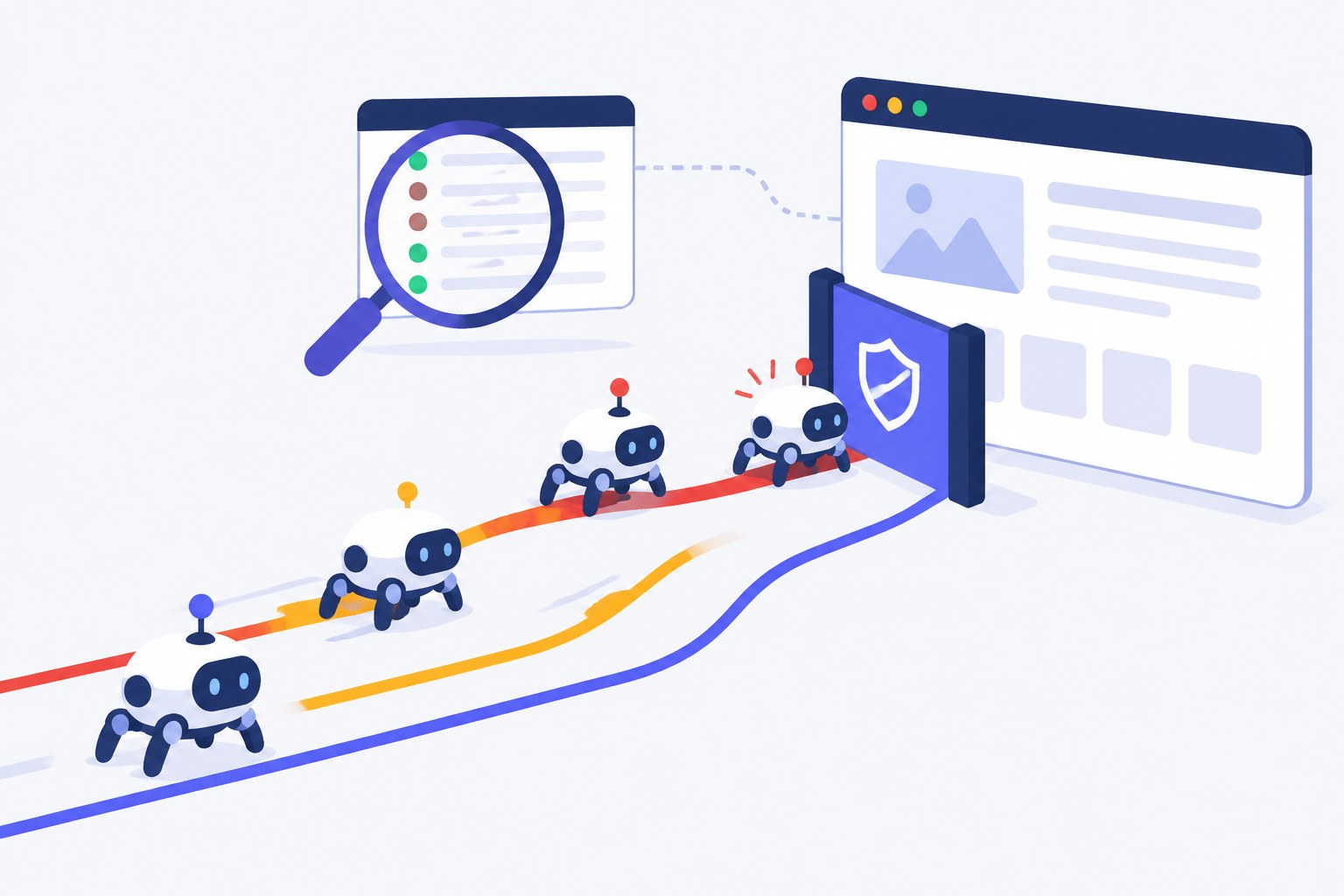
Bots from OpenAI, Anthropic, Perplexity, Meta and a dozen other AI companies request pages from WordPress sites every day. Some collect training data, some build search indexes, and some fetch a page because a person just asked ChatGPT or Claude about it. Most site owners have no idea which of them get through — and which hit a 403 from a firewall rule nobody remembers adding.
That blind spot matters. If OpenAI's search crawler can't read your pages, ChatGPT search can't cite them. If a training bot hammers your server, you are paying for bandwidth that sends no visitors back. This guide explains what each AI crawler does, how to check what they actually receive from your site, and how to decide which ones to let in.
What AI Crawlers Are and Why They Visit Your Site
An AI crawler is an automated client run by an AI company that downloads web pages over ordinary HTTP. Each one identifies itself with a user-agent string, and almost every vendor now runs several bots with different jobs. The job matters more than the company name, because it decides what you get in return for letting the bot in.
- Training crawlers collect pages that may be used to train future models. They send no visitors back.
- Search crawlers build the index that AI search features retrieve from when they answer a question and cite sources. This is the group that can turn into referral traffic.
- User-triggered fetchers load a specific page at the moment a person asks an assistant to read, summarize or check it. They are not crawling the web — a human is behind every request.
Here are the user agents you are most likely to see, with the purpose each vendor documents:
| Company | Training | Search index | User-triggered |
|---|---|---|---|
| OpenAI | GPTBot | OAI-SearchBot | ChatGPT-User |
| Anthropic | ClaudeBot | Claude-SearchBot | Claude-User |
| Perplexity | — (not used for training) | PerplexityBot | Perplexity-User |
| Google-Extended (robots.txt token only) | Googlebot | — | |
| Apple | Applebot-Extended (robots.txt token only) | Applebot | — |
| Meta | Meta-ExternalAgent | Meta-ExternalAgent | Meta-ExternalFetcher |
| Common Crawl | CCBot (open dataset used by many AI labs) | — | — |
| ByteDance | Bytespider | — | — |
Sources: the bot documentation of OpenAI, Anthropic, Perplexity, Google, Apple, Meta and Common Crawl. ByteDance publishes no documentation for Bytespider. Older names such as anthropic-ai and Claude-Web no longer appear in Anthropic's list, and ia_archiver — often mislabelled as Common Crawl in AI-crawler lists — is the old Alexa / Internet Archive bot.
Two rows deserve a closer look. Google-Extended and Applebot-Extended never show up in your logs. They are robots.txt tokens, not separate crawlers: Googlebot and Applebot do the fetching, and the token only controls whether that content may be used for AI training and grounding. Google says Google-Extended "does not impact a site's inclusion in Google Search."
"Is ChatGPT Reading My Site?" Has Three Answers
Because every vendor splits its bots by job, the question has to be split too.
- Will ChatGPT search cite me? That depends on OAI-SearchBot. OpenAI documents its search and training controls separately, so a site can opt out of GPTBot (training) and still appear in ChatGPT search results.
- Is my content in OpenAI's training data? That is GPTBot's job.
- Do people ask ChatGPT about my pages? ChatGPT-User requests are the signal: each one is a real conversation in which someone asked the assistant to open your URL. OpenAI notes that because these fetches are initiated by a user, robots.txt rules may not apply.
The same split works for Claude (ClaudeBot / Claude-SearchBot / Claude-User) and Perplexity (PerplexityBot / Perplexity-User — and Perplexity's own docs say the user fetcher "generally ignores robots.txt rules").
Google is the exception. Google's documentation for AI features says a page only needs to be indexed and eligible for a snippet in Google Search to appear in AI Overviews or AI Mode — "there are no additional technical requirements." There is no separate AI crawler to allow: if Googlebot can index the page, it is eligible. To keep a page out of AI Overviews you use the usual snippet controls (nosnippet, data-nosnippet, max-snippet) or noindex.
The JavaScript Problem — and Why WordPress Mostly Avoids It
When Vercel and MERJ analysed AI crawler traffic across Vercel's network in late 2024, they found that none of the major AI crawlers render JavaScript. GPTBot and ClaudeBot downloaded JavaScript files — 11.5% and 23.8% of their fetches respectively — but did not execute them. Only Google's infrastructure (used by Gemini) and Applebot rendered pages fully.
So whatever is not in the HTML your server returns is invisible to most AI crawlers. For a classic WordPress site this is good news: PHP renders posts and pages on the server, so the article text is in the source. The risks are the exceptions:
- Content loaded after the page by AJAX or REST calls — "load more" lists, filtered product grids, some review and FAQ widgets
- Headless or decoupled front ends (React, Vue, Next.js) that render in the browser
- Page-builder sections or tabs that fetch their content only when clicked
- Prices, stock and specs injected by scripts on WooCommerce product pages
A quick test: open the page, choose View Page Source (not the inspector), and search for a sentence from the main content. If it is not in the source, AI crawlers don't see it either. Content inside tabs or <details> accordions is fine as long as it is in the HTML from the start.
How to Check Whether AI Crawlers Can Access Your Site
1. Read your server access logs
Raw access logs are the complete record: every request, its user agent and the status code your server returned. Most hosts let you download them from the control panel. On a server with SSH access, this one-liner counts AI crawler requests by status code:
grep -Ei "GPTBot|OAI-SearchBot|ChatGPT-User|ClaudeBot|Claude-SearchBot|Claude-User|PerplexityBot|Perplexity-User|Meta-External|CCBot|Bytespider" access.log \
  | awk '{print $9}' | sort | uniq -c | sort -rn
Read the codes like this:
- 200 — the bot received the page. Good.
- 301/302 — fine in small numbers; lots of them mean internal links or the sitemap point at redirected URLs.
- 403 — something refused the request: a security plugin, a WAF rule, your host or CDN. If you didn't block that bot on purpose, find the rule.
- 429 / 503 — rate limiting or an overloaded server. Search crawlers that keep getting these will come back less often.
2. Make sure the bot is really the bot
Anyone can send a request that says "GPTBot". Before you act on a spike — or whitelist a bot in your firewall — check the IP. OpenAI, Perplexity and Common Crawl publish the IP ranges their crawlers use in the documentation linked above. Requests outside those ranges with a famous user agent are usually scrapers in disguise.
3. Check your CDN and firewall
Many blocks are accidental. Security plugins, managed-host bot filters and CDN rules often catch AI crawlers along with genuinely bad traffic. Cloudflare in particular started blocking AI crawlers by default for new domains in July 2025, and in 2026 split its controls into separate Search, Agent and Training categories. If your site sits behind Cloudflare, open its AI crawler settings and confirm the choices match what you actually want — your WordPress robots.txt is not the only gatekeeper.
4. Monitor from inside WordPress
Logs are thorough but tedious, and on shared hosting you may not get them at all. SEO Fury PRO's AI Crawler Monitor records each visit from more than twenty AI crawlers — GPTBot, OAI-SearchBot, ChatGPT-User, ClaudeBot, Claude-SearchBot, Claude-User, PerplexityBot, Perplexity-User, Meta-ExternalAgent, CCBot, Bytespider, Amazonbot, DuckAssistBot, MistralAI-User, Diffbot and others — with the URL each one requested, so you can see which pages AI engines read and how often. One limitation applies to every in-WordPress monitor: requests answered by a full-page cache or a CDN before WordPress runs are not counted, so treat the numbers as a floor and use server or CDN logs when you need the full volume.
Reading the Data: Crawl Volume vs What Comes Back
Once you can see the crawlers, the obvious question is what each one gives back. Cloudflare measures this as a crawl-to-referral ratio — how many pages a platform crawls for every visitor it sends to a website. Its August 2025 analysis showed huge differences:
| Platform | Crawls per referral, Jan 2025 | Crawls per referral, Jul 2025 |
|---|---|---|
| Anthropic | 286,930 : 1 | 38,066 : 1 |
| OpenAI | 1,217 : 1 | 1,091 : 1 |
| Perplexity | 54.6 : 1 | 194.8 : 1 |
| Microsoft | 38.5 : 1 | 40.7 : 1 |
| 3.8 : 1 | 5.4 : 1 |
Two caveats from Cloudflare itself: the ratios move a lot month to month (its 2025 year-in-review recorded OpenAI peaking at about 3,700:1 in March), and Anthropic's figure is inflated because the Claude apps often send no referrer, so some real visits aren't counted as referrals.
The lesson for a WordPress site is not to block everything with a high ratio. It is to measure the same thing on your own pages. The useful signals are:
- Search and user-fetch hits per page — which posts AI assistants retrieve when answering questions
- Training-bot volume — how much server load you donate, and whether one bot is hitting you hard
- Error rate by bot — 403s and 5xx responses that shouldn't be there
- AI referral clicks — real visitors arriving from chatgpt.com, perplexity.ai, claude.ai and similar
SEO Fury PRO puts the last two side by side: its AI Search Traffic report shows, for each page, how many times AI assistants fetched it on a user's behalf and how many visitors then clicked through. A page with many fetches and no clicks is being read and summarized without a reason to visit — a cue to add something the answer can't replace, such as a tool, a template or original data.
Should You Block AI Crawlers?
Blocking is a business decision, not a technical one, and it is rarely all-or-nothing.
Blocking search crawlers and user fetchers (OAI-SearchBot, Claude-SearchBot, PerplexityBot, ChatGPT-User and friends) removes you from the answers that can send visitors. For most businesses that want to be found, this is the wrong trade.
Blocking training crawlers (GPTBot, ClaudeBot, CCBot, Google-Extended, Applebot-Extended, Meta-ExternalAgent) keeps your content out of future training sets without affecting today's search citations. Publishers who sell their content, or who don't want to subsidize model training, often choose this. The evidence on side effects is thin: a study of large news publishers by Zhao and Berman found traffic about 7% lower six weeks after they blocked AI crawlers, with the effect fading after roughly twenty weeks — a narrow result that says little about smaller sites, but a reason not to block on reflex.
A robots.txt that keeps AI search and opts out of training looks like this:
# AI search and assistants: allowed
User-agent: OAI-SearchBot
User-agent: Claude-SearchBot
User-agent: PerplexityBot
Allow: /

# Model training: opted out
User-agent: GPTBot
User-agent: ClaudeBot
User-agent: CCBot
User-agent: Google-Extended
User-agent: Applebot-Extended
User-agent: Meta-ExternalAgent
User-agent: Bytespider
Disallow: /
Remember that robots.txt is a request, not a lock. OpenAI, Anthropic and Perplexity document that their declared crawlers honour it, but user-triggered fetchers may not, and not every crawler plays by the rules: in August 2025 Cloudflare reported undeclared crawlers using a generic browser user agent to reach sites that had blocked Perplexity — which Perplexity attributed to a third-party browser service. When you need enforcement, refuse the request at the server or firewall (HTTP 403) in addition to the robots.txt rule.
In WordPress you don't need FTP for any of this. The free SEO Fury plugin includes a visual robots.txt editor with per-bot rules. PRO adds one-click blocking from the crawler table — a robots.txt rule plus an optional 403 for bots that ignore it — and automatic blocking when a crawler exceeds a request-rate limit you set. The limit only counts traffic from several IP addresses, so a single scraper faking a crawler's user agent can't get the real crawler blocked.
Your AI Crawler Monitoring Checklist
- Inventory: list which AI crawlers reached the site in the last 30 days and with which status codes
- Accidental blocks: trace every unexpected 403 to a security plugin, host rule or CDN setting and fix it
- Policy: decide per category — search and user fetchers, training — and write it into robots.txt
- Enforcement: back the training opt-out with a server or firewall rule if it matters to you
- Rendering: confirm that key content is in the page source, not loaded by JavaScript
- Discovery: keep the XML sitemap and llms.txt current so crawlers find the pages that matter
- Review: repeat the check monthly and after any change to hosting, CDN or security plugins
Crawler access is the first link in the chain. Once the right bots can read your pages, the next question is whether AI answers cite them — covered in our GEO for WordPress guide.
Try SEO Fury Free
50+ SEO features, unlimited sites, no credit card. Install it and score your first post in under five minutes.
Get SEO Fury Free